Home
Tutorial
Activities
About us

Steps:
1)Open Adobe Photoshop.
2)Click file,then lok for new,a box will appeaer showing the settings for your canvass.Choose your own settings then click ok.
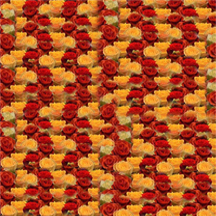
3)Open the files necessary(Baby and pattern) for making it.
4)On the pattern file, Click Edit, then define pattern.
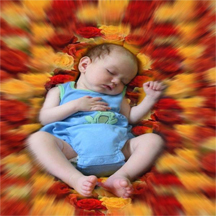
5)On the baby file, use the elliptical marquee tool to draw a circle around the baby.
6)Right click then choose Select Inverse.
7)Click the Pattern Stamp Tool.
8)Choose the pattern you had defined.
9.)Brush the pattern around your canvass to fill it with that pattern.
10)Click Filter, then Blur, and use Raidial Blur
11)When you're done, save it as a JPEG file.
~THE END